
How to Implement Role-Level Access for US LLC Management: A Step-by-Step Guide

1. Understanding Role-Level Access in US LLC Management
Role-Level Access (RLA) is a sophisticated permission framework designed to streamline management within US LLC operations. This system offers precise control over who can access and handle different aspects of your company's operations, such as billing, compliance, and administrative functions.
1.1 What Is Role-Level Access?
Role-Level Access is a method for assigning specific permissions to individuals within an organization. Instead of a blanket access policy, RLA allows you to tailor permissions for viewing, editing, and managing various areas of your business.
1.2 Why Use Role-Level Access?
The primary benefit of employing RLA in your US LLC is enhanced security and operational efficiency. By defining clear roles, you minimize the risk of unauthorized access and ensure that each team member can perform their designated tasks without overstepping boundaries.
2. Components of Role-Level Access
RLA is constructed from several components, each vital for the system's functionality.
2.1 Roles and Permissions Bundles
Roles are pre-set bundles of permissions that can be assigned to individuals, such as 'Billing Manager' or 'Finance Administrator.' This approach simplifies the task of assigning permissions by offering clear labels and predefined access scopes.
2.2 Role Groups
Roles are organized into groups to simplify management. Workspace Roles might include common areas accessible to most members, while Product Roles are specific to particular functions within your LLC's operations, like tax filing or mailroom management.
2.3 Parent and Child Roles
Parent roles encompass a broader set of permissions, automatically including child roles upon selection. This feature allows for quick assignment of comprehensive access, which can be customized by deselecting unwanted child roles.
3. Assigning Roles in Your US LLC
Setting up role-level access involves inviting or editing members and selecting their roles based on the responsibilities they will hold.
3.1 How to Assign Roles
Through your LLC management system, you can invite new members or modify existing ones to open a roles sidebar. Here, different combinations of workspace and product-specific roles can be checked as per requirements.
3.2 Updating Access
Once roles are assigned or modified, simply send an invite or update the existing access. The changes are applied instantly, ensuring that your team members receive notifications about the updates.
4. Types of Roles in Role-Level Access
Various roles can be appointed within your LLC to cater to different operational needs.
4.1 Workspace Roles
- Account Owner: This is the superuser role, allowing total access and the unique ability to transfer ownership. Typically held by the founder.
- Administrator: Similar to the Account Owner but without ownership transfer rights. Ideal for operations leads or CTOs.
- Workspace Editor: Allows comprehensive action rights in non-product areas; view-only access for billing.
- Workspace Viewer: Default read-only access to the dashboard and company details. Suitable for team members needing minimal access.
- Billing Manager: Manages subscriptions and invoices, typically paired with other financial roles.
4.2 Product-Specific Roles
- Finance Administrator: Takes charge of accounting tasks including bookkeeping and transaction management.
- Head of Compliance: Handles compliance-related services and dashboard management.
- Mailroom Manager: Oversees mail-related functions, both viewing and sending.
- Tax Lead: Manages tax filing tasks, including forms like 5472 and 1099.
5. Benefits of Role-Level Access
Implementing RLA in your LLC offers numerous advantages:
- Increased Security: By restricting access to sensitive areas, RLA reduces the risk of data breaches or unauthorized actions.
- Enhanced Productivity: Team members can focus on their tasks with clear boundaries and responsibilities.
- Better Compliance: Role changes are tracked and notifications ensure transparency, which is crucial for regulatory compliance.
6. Role Assignment Best Practices
Assigning roles requires strategic planning to align with your LLC's operational goals.
6.1 Analyzing Role Needs
Begin by assessing the specific needs of your LLC. Identify key functions and determine which roles are necessary to fulfill them.
6.2 Gradual Role Implementation
A phased approach to role assignment can help in adapting to RLA. Start with essential roles and gradually expand as your team grows and your operations become more complex.
7. Preparing for Role-Level Access Implementation
Before shifting to RLA, preparation is crucial to ensure a smooth transition.
7.1 System Setup
Ensure that your LLC's management platform supports role-level access capability. Services like FastLLC can assist with configuring such systems as part of their formation plans.
7.2 Training and Communication
Educate your team about the transition to RLA. Clear communication about how roles will affect their access and responsibilities is essential.
8. Troubleshooting Common Role-Level Access Issues
Despite best efforts, certain challenges may arise during the implementation of RLA.
8.1 Permission Conflicts
Conflicts may occur if roles overlap or contradict one another. Review assigned roles regularly to ensure harmony and clarity.
8.2 Notification Overload
The system alerts members of changes, which can sometimes lead to an overload of emails. Manage notification settings to balance necessary alerts with minimizing distractions.
9. Future Developments in Role-Level Access
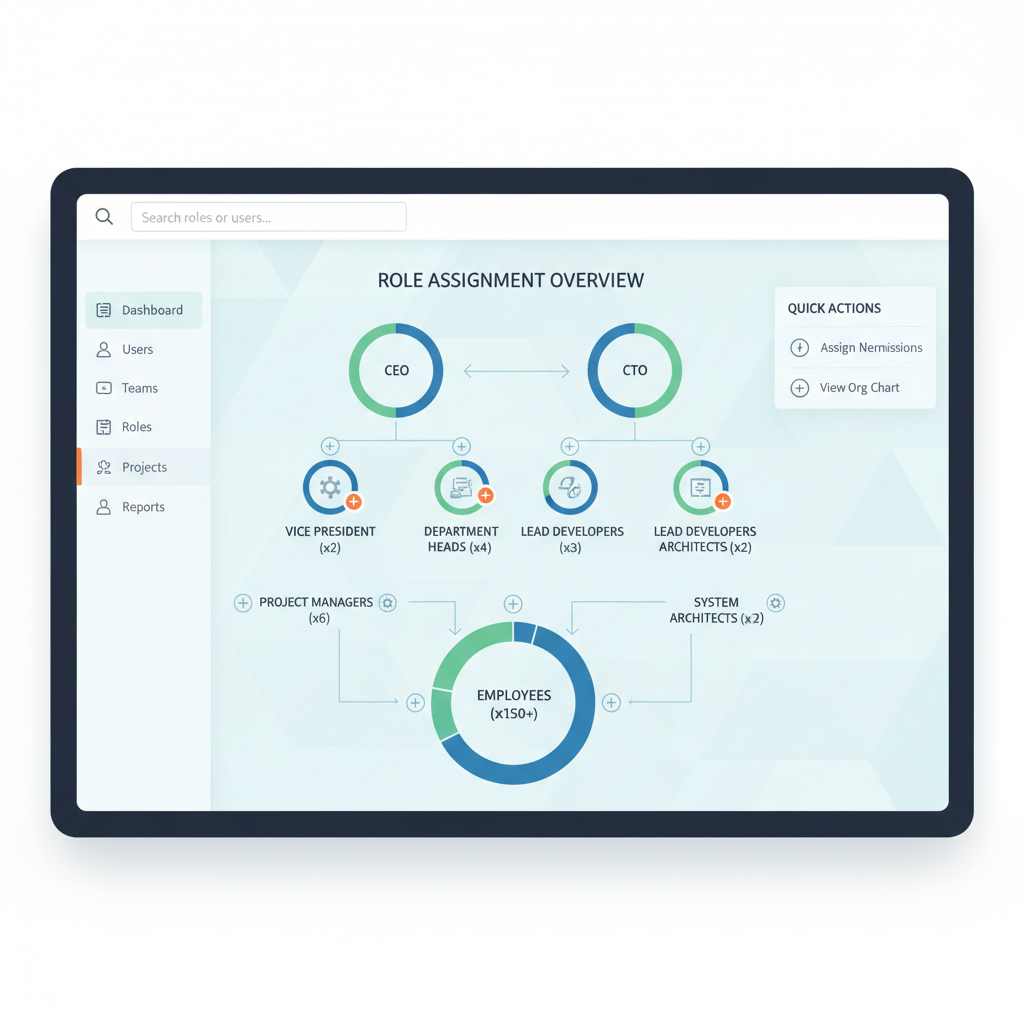
The landscape of role-level access is continuously evolving, with more granular roles being developed to adapt to growing business needs.
9.1 Expansion of Role Features
As products and services grow, RLA will incorporate more specific roles. For example, future roles such as 'Bill Pay Approver' will refine financial management within your LLC.
9.2 Integration with Technology
The advancement of technology further supports RLA, offering seamless integration with emerging software and platforms to enhance operational capabilities.
10. Taking the Next Step with Your US LLC
Implementing Role-Level Access is a significant step towards efficient management and security for your US LLC. As you consider forming a US company, leveraging services like FastLLC can streamline the process of establishing your business structure and integrating role-level access systems.
Whether you are just beginning or looking to optimize your current operations, the adoption of RLA is a forward-thinking strategy that empowers you to control and secure your business environment effectively.

For further guidance on establishing a US LLC with advanced access systems, consider engaging with professionals who specialize in setting up non-resident business solutions. With the right approach, you can build a robust, compliant, and well-managed company ready to thrive in the competitive market.
11. Real-World Examples of Role-Level Access Implementation
Understanding theoretical concepts is one thing, but seeing how Role-Level Access (RLA) functions in real-world scenarios can offer practical insights. Here are some examples of businesses that have successfully implemented RLA within their US LLCs:
11.1 Case Study: Tech Startup
A tech startup in Silicon Valley integrated RLA to manage its rapid growth. Initially dealing with a small team, the founders saw the need for a scalable access system as they expanded. By assigning roles such as 'Development Lead,' 'Marketing Coordinator,' and 'Customer Support Manager,' they were able to streamline operations and maintain security. This targeted approach allowed the startup to grow efficiently without compromising data integrity.
11.2 Case Study: E-commerce Platform
An e-commerce LLC leveraged RLA to handle diverse operations across sales, product management, and logistics. By creating specific roles like 'Inventory Manager' and 'Sales Analyst,' the company ensured that each department had the right access to tools and information pertinent to their functions. This not only improved productivity but also enhanced the team's ability to collaborate across different functions without confusion.
11.3 Lessons Learned
These real-world examples highlight the importance of tailoring roles to fit specific organizational needs. By understanding how different roles can be effectively implemented, businesses can prevent common pitfalls such as role overlap and ensure smooth operations.
12. Common Mistakes in Role-Level Access Management
Implementing RLA can be transformative, but it comes with potential pitfalls. Being aware of common mistakes can help you avoid them:
12.1 Overcomplicating Role Structures
One frequent mistake is creating an overly complex role hierarchy. While specificity is valuable, too many roles can confuse team members and complicate management. Strive for balance by ensuring roles are comprehensive yet simple enough to understand and manage.
12.2 Neglecting Regular Reviews
Another common error is failing to conduct regular reviews of role assignments. As business needs evolve, roles may become outdated or misaligned with current objectives. Regularly evaluating and updating roles ensures that access permissions remain relevant and effective.
12.3 Ignoring Feedback from Team Members
Feedback from team members is crucial for successful RLA implementation. Those directly affected by role assignments can offer insights into what's working and what needs improvement. Ignoring this feedback may lead to dissatisfaction and inefficiencies, so cultivate an environment where open communication is encouraged.
13. Comparative Table: Role-Level Access vs. Traditional Access Control
To better understand the advantages of Role-Level Access, it can be helpful to compare it with traditional access control methods:
| Aspect | Role-Level Access (RLA) | Traditional Access Control |
|---|---|---|
| Flexibility | Highly flexible, allows customization of roles and permissions | Limited, often relies on pre-established access tiers |
| Security | Enhanced security through precise permission settings for each role | Basic security features that may not address specific needs |
| Scalability | Scales easily with business growth and changing roles | Often requires significant restructuring as the business grows |
| Ease of Management | Streamlined management with clear role definitions | Can become cumbersome with growing complexity |
| Customization | Roles and permissions can be tailored to specific business needs | Limited customization, typically one-size-fits-all approach |
This comparative analysis illustrates the superiority of RLA in providing a tailored, secure, and scalable access management system for modern businesses.
Frequently Asked Questions
Role-Level Access is a permission system that assigns specific access rights to individuals within a US LLC, enhancing security and operational efficiency.
Implementing Role-Level Access offers increased security, enhanced productivity, and better compliance by defining clear roles and responsibilities.
Invite or edit members within your LLC management platform, then select the appropriate roles based on their responsibilities.
Workspace Roles involve common operational areas, while Product Roles are specific to functions like accounting or compliance within the LLC.
Yes, integrating RLA with emerging technologies can offer seamless management and operational capabilities for your LLC.
Share this article



Ready to start your US LLC?
Formation, EIN, registered agent, and ongoing compliance — handled in one place.
Get Started for Free